- Evaluation matrix of top developer SSH tools: Termique, OpenSSH, PuTTY, Termius, and Tabby.
- Key decision factors: local-first E2EE credential security, native binary performance vs Electron, and pricing transparency.
- Comparison of team collaboration, host sharing, and command audit logging capabilities.
Every “best ssh client” roundup reads the same: a numbered list, a paragraph per tool, and a features table that never quite answers the question you actually had. The truth is there isn’t one best SSH client – there’s a best fit for how you work. A solo developer with one laptop and three servers has different requirements than a platform team managing fifty hosts across three clouds. This guide skips the generic ranking and walks through the real options for 2026 – OpenSSH, PuTTY, iTerm2, MobaXterm, Tabby, Termius, and termique – by the criteria that actually change your day-to-day workflow, not by marketing copy.
What actually makes an SSH client the best choice for you?
Every SSH client does the same fundamental thing: open a secure shell to a remote host. What separates them is everything around that connection – how you store credentials, how you organize dozens or hundreds of hosts, whether your setup follows you to a second machine, and whether the tool helps you when something breaks at 2am. Before comparing tools, it helps to know which of these actually matter to you.
- Platform coverage – do you need the same tool on macOS, Windows, Linux, and your phone, or just one machine?
- Credential storage model – are passwords and private keys encrypted on your device before they’re stored anywhere, or does the vendor hold a key that can decrypt them?
- Host organization at scale – can you tag, group, and search hosts once you’re past a dozen servers, or are you scrolling a flat list?
- Team collaboration – do you need to share a host with a teammate without emailing a private key?
- Extra tooling – do you want built-in monitoring, an AI assistant for command help, or SFTP browsing without a second app?
OpenSSH: the baseline every other client builds on
Before comparing dedicated clients, it’s worth being clear about OpenSSH itself. The `ssh` command line tool ships natively on macOS and Linux, and has shipped as an optional Windows feature since Windows 10 version 1809. Every client on this list – Termius, Tabby, MobaXterm, even termique – uses OpenSSH’s protocol implementation or wraps around it under the hood. For a large share of use cases, OpenSSH plus a well-organized config file is genuinely the best ssh client, because it’s already installed and asks nothing of you beyond a text file.
Host jump
  HostName 203.0.113.10
  User ops
  IdentityFile ~/.ssh/jump_ed25519

Host internal-db
  HostName 10.0.4.20
  User dbadmin
  ProxyJump jump
  IdentityFile ~/.ssh/internal_ed25519
This covers aliasing, per-host users, and jump hosts (ProxyJump) without installing anything. Where it runs out of road: there’s no GUI to browse hosts, no built-in credential vault beyond the OS keyring via ssh-agent, and nothing that follows you to a second laptop automatically. If you’re syncing a config file and keys between machines by hand, you’ve already hit the ceiling OpenSSH wasn’t designed past – a problem covered in more depth in the guide on managing SSH credentials across multiple devices.
The best ssh clients for developers in 2026, compared
Once you’re past a single machine and a handful of servers, a dedicated client starts paying for itself. Here’s how the major options actually compare, based on what changes your workflow rather than what’s on the marketing page.
PuTTY
PuTTY has been the default answer to “best ssh client for Windows” for over two decades, and it earns that reputation through sheer reliability rather than features. It’s free, the installer is a few megabytes, and it supports SSH, Telnet, and serial connections with no account and no phone-home behavior.
The tradeoffs are the same ones that have always applied: session management means manually saving and loading profiles, there’s no credential sync, no mobile app, and the UI hasn’t meaningfully changed since the Windows XP era. PuTTY is still the right call if you need something small, offline-friendly, and scriptable via Plink for batch jobs. It’s the wrong call if you’re managing more than a screenful of hosts.
iTerm2 + tmux
iTerm2 isn’t strictly an SSH client – it’s a terminal emulator for macOS that you point at the system `ssh` command. Paired with tmux for session persistence, it’s the setup most Mac-based engineers who are comfortable at the command line actually use day to day. Split panes, searchable scrollback, shell integration, and native notifications make it feel like a first-party macOS tool rather than a port.
What you don’t get: any of it works on Windows or Linux, there’s no host list beyond your own `~/.ssh/config` and shell aliases, and there’s no SFTP browser, credential vault, or team sharing built in. If your entire fleet is Mac-only and you’re fluent in tmux, this combination is hard to beat on responsiveness. If you also touch a Windows machine or want a GUI host list, it doesn’t travel with you.
MobaXterm
MobaXterm is the Windows equivalent of an all-in-one toolbox: SSH, X11 forwarding, an embedded Unix-like shell, and a tabbed session manager in one download. The free Home Edition covers individual use, including in a company setting, as long as you install it yourself and don’t share one installation across a team.
The Professional edition removes session limits and adds a customizer for deploying a locked-down build across an organization, priced per user for that deployment use case. For Windows-heavy shops that also need X11 and a bundled shell, MobaXterm remains a strong pick. It’s Windows-only, though, so it doesn’t help if your team also runs macOS or Linux workstations.
Tabby
Tabby (formerly Terminus, unrelated to Termius) is a free, open-source terminal that runs on Windows, macOS, and Linux under the MIT license. It has a genuine SSH2 client with a connection manager, SFTP and Zmodem transfers, agent forwarding including Pageant and the native Windows OpenSSH agent, and an encrypted local container for storing SSH secrets.
Because it’s open source with no account requirement, there’s no vendor holding your credentials at all – everything stays in a local, encrypted store on the machine you installed it on. That’s also its main limitation: there’s no built-in sync between machines, so multi-device setups need a separate solution for keeping hosts and keys consistent. For a free, auditable, cross-platform terminal with no subscription, Tabby is one of the strongest options available in 2026.
Termius
Termius is the client most people mean when they ask for the best SSH client for teams that span multiple operating systems. It runs on macOS, Windows, Linux, iOS, and Android, with session, host, and snippet sync across all of them through Termius Cloud. The mobile apps are genuinely usable, with proper keyboard handling and split-screen support on iPad, which is rarer than it should be in this category.
The free Starter plan covers local vaults and basic use with no credit card required, but sync, SFTP, and the AI-assisted features live behind the Pro plan at $10 per month billed annually. The bigger caveat for security-conscious teams: Termius Cloud sync is encrypted, but the way Termius describes and manages that sync means the vendor is positioned to decrypt it – it’s server-side encryption, not end-to-end. For teams that don’t sync credentials across devices, that distinction doesn’t matter. For anyone syncing keys to a phone, it’s worth understanding exactly what you’re trusting the vendor with.
termique
Among the cross-platform options, termique takes a narrower position: an SSH manager for macOS, Windows, Linux, and mobile built around end-to-end encrypted credential sync rather than server-side encryption. The distinction matters mechanically, not just as a marketing line – your master password derives an encryption key on your device via PBKDF2, and that key never leaves it. The server stores only ciphertext, so a breach of termique’s infrastructure doesn’t expose your SSH passwords or private keys.
The other two things termique adds on top of standard host management are an AI assistant that’s aware of which host and tags you’re connected to (useful for command explanation and error triage, not autonomous execution) and built-in server monitoring – CPU, RAM, disk, and uptime – without installing a separate tool. If cross-platform reach including mobile, credentials the vendor genuinely cannot decrypt, and integrated monitoring are all on your shortlist, termique is built specifically for that combination.
The credential vault in termique uses PBKDF2 key derivation and AES-256-GCM encryption, computed on-device before anything reaches the network. The technical breakdown of key derivation, DEK wrapping, and what the server can and cannot see is covered in the deep dive on end-to-end encrypted SSH credential storage.
How do these ssh clients handle credential security?
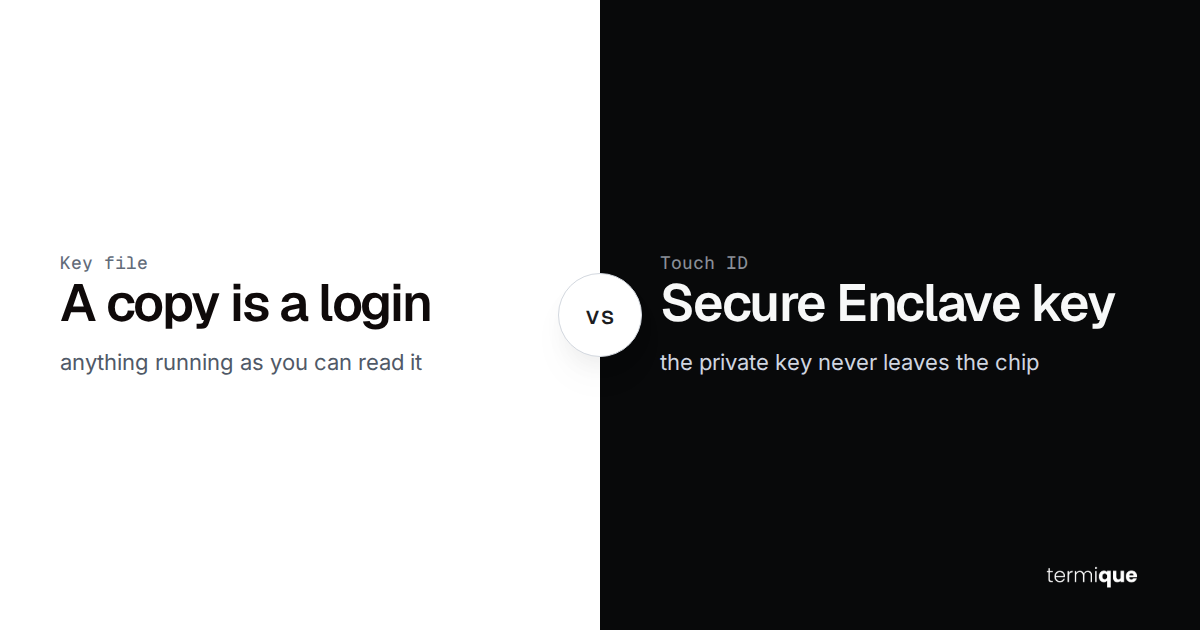
Credential handling splits into three real categories, and it’s worth being precise about which one each tool falls into. Local-only tools – PuTTY, iTerm2 plus tmux, and OpenSSH itself – never transmit your keys anywhere; everything lives in the OS keyring or on disk, which is secure but doesn’t sync. Server-side encrypted sync – the model Termius Cloud and most SaaS password managers use – encrypts your data in transit and at rest, but the vendor holds the key needed to decrypt it, whether or not they normally do. End-to-end encrypted sync – the model termique uses – derives the decryption key from your master password on your device, so the vendor stores ciphertext it cannot read even under a legal order or an internal breach.
Tabby sits closer to the local-only category: its encrypted secrets container is genuinely local with no cloud component, which is why it doesn’t offer sync. None of this makes local-only tools worse – if you only work from one machine, there’s nothing to encrypt in transit because there’s no transit. The distinction only matters once you need the same credentials on a second device.
Which ssh client should you actually pick?
- One machine, a handful of servers, comfortable with a text file – OpenSSH and ~/.ssh/config is genuinely the best choice. Don’t add a tool you don’t need.
- Windows-only, need X11 or a bundled shell alongside SSH – MobaXterm’s free Home Edition covers most individual use cases.
- Mac-only, fluent in tmux, want the fastest local terminal – iTerm2 plus tmux is hard to beat on responsiveness.
- Free, open-source, cross-platform, no account or subscription – Tabby covers SSH, SFTP, and agent forwarding with nothing to sign up for.
- Multiple platforms including mobile, team collaboration, comfortable with the vendor holding a server-side key – Termius has the most mature ecosystem and mobile experience.
- Multiple platforms including mobile, credentials the vendor cannot decrypt even if compelled, and monitoring built in – termique is built for that combination specifically.
If credential security across devices is the deciding factor rather than any single feature, the guide on managing SSH credentials across multiple devices walks through the tradeoffs between ~/.ssh/config, password managers, and dedicated SSH clients in more detail. And if an AI assistant inside your terminal sessions is part of the decision, the honest breakdown of what SSH AI assistants can and can’t do is worth reading before assuming every “AI-powered” badge means the same thing.
There’s no single best SSH client for every developer in 2026 – there’s a best fit for your platform mix, your credential security requirements, and how many servers you’re actually managing. Start from the criteria, not the brand name, and the right tool becomes obvious fast.
If your shortlist includes end-to-end encrypted credential sync, an AI assistant that knows which server you’re on, and monitoring without a separate tool, termique is free to try across macOS, Windows, Linux, and mobile.
Related articles