Every SOC 2 auditor eventually asks the same question: who can SSH into production, and how do you know? Enterprise privileged access management (PAM) platforms answer that with session proxying, automatic credential rotation, and a dashboard built for exactly this conversation. They also start around five figures a year and take months to roll out. For a five-person or fifty-person engineering team, that’s not a proportional response to the actual risk. A compliance-ready SSH access policy without an enterprise PAM tool is achievable with a written policy plus a handful of lightweight tools you probably already run, and it satisfies the same control objectives an auditor is actually checking for.
This is a practical template, not a theoretical one: a policy skeleton you can adapt this week, the minimum tooling that enforces it day to day, and an honest line for when a policy stops being enough and you do need a real PAM platform.
What does compliance-ready actually mean for SSH access without a PAM tool?
Auditors don’t grade you on which vendor’s logo is on your access control diagram. SOC 2’s access-control criteria reduce to four testable properties for any privileged access path, SSH included, regardless of what tooling sits underneath them.
- Unique identity per user: no shared root login, no deploy key that’s been passed between the last three hires because nobody rotated it.
- Least privilege: each person’s access maps to a role and a specific set of hosts, not “everyone can reach everything because scoping it is extra work.”
- Logged access: every login and every privileged command produces a record with who, when, from where, and what changed.
- Timely revocation: when someone leaves or changes roles, access dies the same day, not “sometime before the next audit.”
A PAM vendor will describe these four properties as “identity-centric access” in a pitch deck. Underneath the label, they’re just policy properties. Nothing about them requires traffic to flow through a commercial proxy. A per-person SSH key, a role-to-host access matrix, an audit log, and a written offboarding step tied to your HR process deliver all four without a platform in between.
The most common finding an auditor writes up isn’t a missing tool, it’s a policy that quietly stopped matching reality. A team of six sets up individual keys correctly on day one, then a production incident at 2am gets fixed with someone’s personal laptop and a shared deploy key nobody wrote down anywhere, and eighteen months later that key is still active on three servers with no owner. The fix isn’t a platform, it’s making the four properties above boring and routine enough that the incident-time shortcut never has to happen.
What does an enterprise PAM platform give you that a policy plus the right tools can replace?
Strip away the marketing and PAM vendors are selling three things.
- Session proxying and just-in-time access: a bastion that grants a scoped, time-boxed session instead of a standing credential.
- Automatic credential rotation: the platform rotates keys or passwords on a schedule and pushes the new ones to every host.
- A centralized audit dashboard: one view across every host, exportable for an auditor without anyone hand-grepping log files.
The genuine compliance requirement underneath all three is that access is provable and revocable, not that it happens to flow through one vendor’s proxy layer. Rotation and dashboards are convenience features, not control objectives in their own right. A documented rotation cadence that a team actually follows, plus a log you can export in an afternoon, satisfies the same auditor question a $30,000-a-year platform answers with a button. The dashboard is load-bearing for a large security team’s workflow. It is not load-bearing for the audit itself.
Put a number on it before deciding: a manual key rotation for a ten-host, eight-person team is a recurring calendar event and a checklist, not an engineering project. Rotate keys on role change and on a fixed schedule (every 90 or 180 days is a common baseline), record the date each host’s keys were last rotated, and that record is the evidence, whether or not a platform generated it automatically.
How do you write an SSH access policy document without an enterprise PAM tool?
The policy document is itself an auditable artifact. An auditor will ask to read it before they ask to see any logs, so it needs to exist, be dated, and be followed, not just sound good. Keep the first draft to two pages. A policy nobody reads is worse than no policy, since it creates a paper trail that contradicts your actual practice.
- Scope: which systems and environments the policy covers (production, staging, the bastion, customer data stores) and who it applies to (employees, contractors, on-call responders).
- Roles and least privilege: a role-to-host access matrix, reviewed on a fixed cadence, not granted ad hoc in a Slack thread.
- Credential handling: SSH key auth only, no shared passwords, one key pair per person per device, private keys generated on-device and never emailed or committed to a repo.
- Logging requirements: what must be logged (logins, session start/end, privileged commands), retention period, and where the logs are stored.
- Review cadence: who re-certifies access, how often (quarterly is a reasonable default), and what happens to access that fails re-certification.
- Offboarding and revocation SLA: access removed within a fixed number of hours of termination or role change, and who owns executing that step.
PermitRootLogin no
PasswordAuthentication no
PubkeyAuthentication yes
MaxAuthTries 3
ClientAliveInterval 300
ClientAliveCountMax 2
That baseline alone closes off the two most common findings in an SSH access review: password auth left enabled as a fallback, and root logins reachable directly instead of through a named user with sudo.
The review cadence in the skeleton above only works if it’s cheap to run. In practice that means one person exports the current role-to-host matrix, walks it row by row against the team roster, and flags anything that doesn’t map to a current role or a currently-employed person. For a team under thirty people this is a 30 to 60 minute exercise on a recurring calendar invite, not a project. Write the result down (a dated copy of the reviewed matrix is enough) and that becomes the evidence for the review-cadence control the next time an auditor asks for it.
What lightweight tooling actually enforces the policy day to day?
A policy document that isn’t enforced by anything is a liability in an audit, not an asset. Three categories of tooling turn the policy above into something that actually holds.
- Per-command audit logs: every command run on a host is timestamped and attributed to the person who ran it, which is the raw material for the “logged access” property and for the audit evidence in the next section. See how termique’s audit subsystem records per-command activity for a concrete implementation of this pattern.
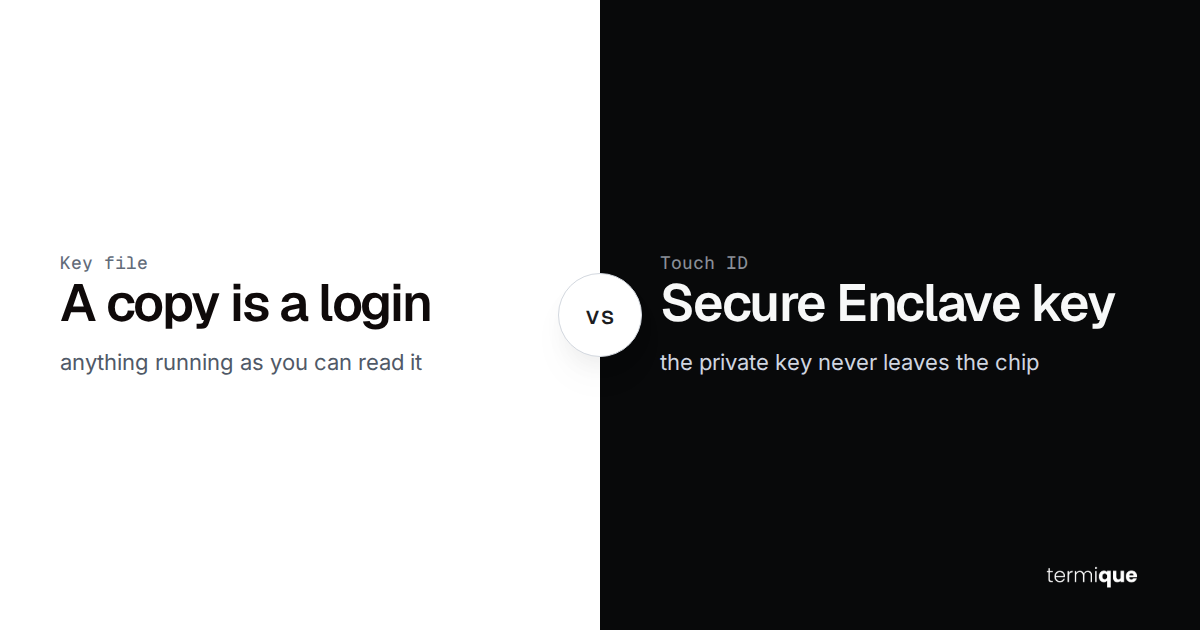
- An encrypted credential and key vault: private keys and any stored credentials are encrypted on-device before they touch any server, so a compromised backend never exposes plaintext keys. SSH key management for teams covers the mechanics of doing this without a shared keyring.
- Host sharing instead of a shared root password: a teammate gets access to a specific host through a revocable, encrypted share, never the literal root credential passed around in a password manager note.
This is deliberately the same shape as the policy skeleton above: one control per tool, not one platform that tries to be all three. termique, for example, ships a per-command audit log, an end-to-end encrypted SSH key vault, and revocable host sharing as three separate, already-built pieces of that stack, which is a reasonable amount of tooling for a policy like this without adopting a dedicated PAM product.
The credential-handling control specifically comes down to where encryption happens. If keys are encrypted on the device they’re generated on, before anything is transmitted, a compromised server-side database exposes ciphertext an attacker can’t use. That’s the practical difference between “we use a vault” and “we use a vault that satisfies the policy”: the encryption key has to be derived locally, not held by whatever stores the encrypted blob.
How do you produce audit evidence without a PAM platform’s built-in reports?
When the audit happens, the question isn’t whether your controls are good, it’s whether you can produce evidence they were followed in the period under review. Build the evidence checklist before the audit request lands, not during it.
- Who has access to what, right now: an exported role-to-host matrix, dated.
- When each grant was made or revoked, and by whom: a change log, even a simple one, tied to the access matrix above.
- What commands ran on sensitive hosts: the per-command audit log, exportable for the audit window.
- The date of the last access review, and who performed it: proof the quarterly re-certification in your policy actually happened.
- Proof offboarding happened inside the SLA: a timestamp on the access-removal action next to the termination or role-change date.
Every item on that list is a query against a log or a document you already have, not a report a platform generates for you. The deeper mechanics of what SOC 2 auditors specifically expect from an audit trail, retention periods, tamper-evidence, and what “complete” actually means in a sampling test, are covered in SOC 2 audit trail requirements for DevOps teams, which this article treats as the deeper reference for evidence-gathering specifically.
A typical SOC 2 sampling test doesn’t review every access event from the audit period, it pulls a sample, commonly somewhere around 20 to 25 events, and checks each one against the checklist above: was the grant documented, was it least-privilege, is there a log entry, was it revoked on schedule if it should have been. Every item in that sample needs to trace back to something you can point to in under a minute. If pulling one sample event takes an afternoon of reconstructing what happened, the evidence gap isn’t the tooling, it’s that nothing was written down at the time the decision was made.
When do you actually need a full PAM platform instead?
None of the above is an argument that PAM platforms are unnecessary. It’s an argument that they’re not the default starting point. There’s a real line where a policy plus lightweight tooling stops being provable and a dedicated platform earns its cost.
- Session recording and replay is a hard compliance requirement, not a nice-to-have: some PCI-DSS and HIPAA scopes expect full playback of privileged sessions, not just a command log.
- Ephemeral, certificate-based just-in-time access at scale: short-lived signed certificates issued per session, with no long-lived key to leak or rotate, become worth the operational overhead once you’re issuing access dozens of times a day.
- Team and infrastructure scale: once you have hundreds of engineers rotating through thousands of short-lived hosts, a spreadsheet-backed access matrix and a manually-tracked offboarding SLA stop being provable in a sampling audit, no matter how disciplined the team is.
If none of those three apply to you yet, a written policy and the tooling in this article will pass the same SOC 2 controls a PAM platform is sold against. The honest way to check is to cost it out both ways: price the platform against the hours a documented, followed policy actually takes to run each quarter. For most teams under a few hundred engineers, the policy is cheaper and just as auditable. For the broader security posture SSH access sits inside, not just the compliance angle, the complete guide to SSH security is the wider reference.
Where termique fits into a policy like this
The policy document is the actual compliance artifact. The tooling just has to make it true. Across the sections above, three termique features do that job concretely: the per-command audit log satisfies the logging requirement, the end-to-end encrypted SSH key vault satisfies the credential-handling requirement, and revocable host sharing replaces the shared root password that most access-control findings trace back to.
termique is a free ssh manager with a per-command audit log, an end-to-end encrypted key vault, and host sharing built in. It won’t write your policy document for you, but it gives you the tooling to make one true.