The fastest way to give a teammate access to a server is also the easiest way to lose control of it: hand over the root password, or copy a .pem file into a shared drive. Real ssh host sharing looks different. It gives every teammate revocable access without shared passwords: each person connects with their own identity, and taking that access away later is one action instead of a company-wide password reset.
This matters more as teams grow past two or three people. A password that lived comfortably in one person’s head now lives in a Slack DM, a password manager note five people can open, and a laptop that leaves the office every evening. The rest of this guide covers what revocable, per-person ssh access actually requires, how to set it up without buying enterprise tooling, and where termique’s host sharing fits once you outgrow doing it by hand.
Why a shared ssh password or copied .pem file is a liability for teams
Sharing one root password or one private key file across a team solves the immediate problem, everyone can log in, and creates three permanent ones.
- No attribution. If five people can authenticate as the same account, a log entry showing
root ran rm -rf /var/backupstells you nothing about who actually ran it. - Revocation touches everyone. When someone leaves, the only way to cut off their access is to rotate the shared secret and manually redistribute the new one to everyone who still needs it. Miss one person’s laptop and the old credential often still works somewhere.
- Key material sprawls. A .pem file forwarded over email or chat now exists in at least three places you don’t control: the sender’s sent folder, the recipient’s downloads folder, and whatever backup system indexes both.
None of this is a hypothetical. It’s the default outcome of treating ssh access like a single secret to be memorized or copied, instead of an identity to be granted and, later, removed. A common version of this plays out at exactly the moment a team hires its first contractor or a founder brings on a second engineer: the quickest onboarding step is reading out the existing password over a call, and by the time anyone thinks to change that, the habit is set for every hire after.
What does revocable access without shared passwords actually mean?
A shared-credential model has one secret and N people who know it. Revoking access for one person means changing the secret for all N. A per-user model flips that: each person authenticates with something only they hold, so revoking one person’s access means removing their one credential and leaving everyone else’s untouched.
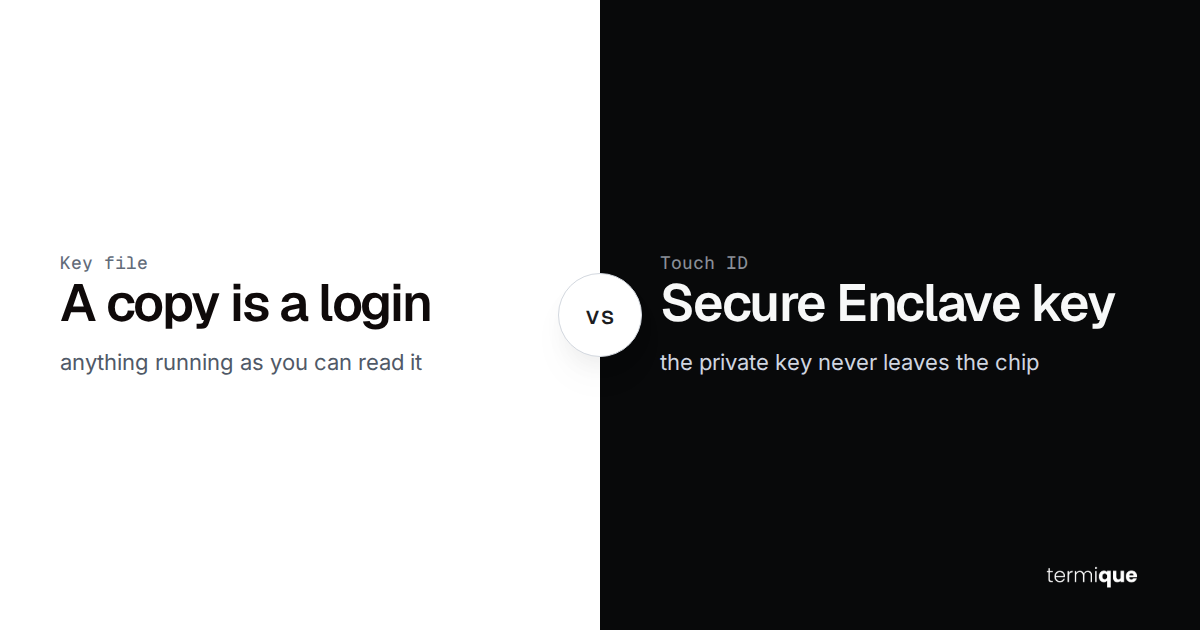
SSH already gives you the primitive for this: public key authentication. A public key can sit in an authorized_keys file forever without ever letting anyone read the matching private key, and removing one line from that file removes exactly one person’s access, nothing more. The security of that private key on the user’s own machine, and of any credential vault storing it, is a separate question worth getting right; see how end-to-end encrypted ssh credential storage actually works for what “the server never sees the plaintext” means in practice. The point for host sharing specifically is narrower: access needs to be issued and revoked per identity, not per shared secret, or none of the rest of this matters.
This applies at any team size, not just once you’re big enough to have a security team. A two-person team sharing a single production host still benefits from per-identity access, because the moment one of those two people is the one who needs to lose access, whether they’re leaving, changing roles, or just switching to a personal machine that shouldn’t hold production credentials anymore, a shared password gives you no clean way to do that without disrupting the other person too.
How do you give a teammate ssh access to one host without handing over your password?
There are three practical approaches, in order of how much infrastructure they assume.
Individual public keys. The teammate generates their own keypair (or already has one) and sends you only the public half. You append it to the target account’s ~/.ssh/authorized_keys on that one host. They authenticate with their own private key, which never leaves their machine, and your password is never involved at any point. This is the right default for a small team sharing a handful of hosts. See SSH key management for teams for how to keep this organized once you’re doing it for more than one or two people.
Short-lived SSH certificates. Instead of trusting a static public key forever, a certificate authority signs a certificate bound to the user’s identity and an expiry window, and the host is configured to trust the CA rather than maintaining a per-user authorized_keys entry. This scales better once you’re managing access across many hosts, because adding or expiring a user is one signing operation instead of an edit on every server.
A bastion or jump host. Instead of every internal host accepting direct connections, one hardened host sits at the edge and everything else only accepts connections proxied through it (ssh -J bastion user@internal-host). This centralizes both the entry point and the audit trail, and pairs naturally with either of the two approaches above.
For most small teams, the right order is: start with individual public keys because they need zero extra infrastructure and are already supported by every ssh server that exists, add a bastion host once you have more than a couple of internal hosts and want one place to see every connection attempt, and only build or buy a certificate authority once key distribution across many hosts becomes the actual bottleneck rather than a theoretical one.
How do you revoke ssh access instantly when someone leaves or changes roles?
This is where the shared-versus-per-user distinction stops being theoretical. With a shared password, offboarding means: change the password, then manually tell every remaining legitimate user the new one, over whatever channel you trust that day. With per-user keys, offboarding means: delete one line from authorized_keys, or revoke one certificate. Nothing else changes for anyone else.
Treat offboarding speed as a security metric, not an administrative afterthought. The gap between “this person no longer needs access” and “this person’s access is actually removed” is exactly the window where a disgruntled departure or a compromised former account can do damage. Measure that gap in minutes, not days, and periodically confirm revocation actually worked by testing that a connection attempt fails, not just that you think you removed the key. Static keys that never expire widen this window by default, which is why a regular key rotation cadence matters even when nobody has left the team; certificates with short validity windows shrink the same window structurally, since an unrevoked cert still expires on its own. If you’re building toward SOC 2 or a similar framework, this timing is also exactly what auditors ask for evidence of; see SOC 2 audit trail requirements for devops teams for what that evidence needs to look like.
Keeping a single, current list of who has access to which host makes offboarding fast in the first place. Without one, revoking access becomes a scavenger hunt through every host’s authorized_keys file to find every place a departing person’s key might be, which is exactly the kind of task that gets skipped under time pressure and forgotten under normal pressure.
Do you need enterprise PAM or a certificate authority for a small team?
Worth clarifying terms here: this is enterprise privileged access management (PAM) software, the category that includes vaulting and session-broker products, not the Linux PAM (pluggable authentication modules) system config uses locally. The question is whether you need the former.
Running your own certificate authority, or adopting a full PAM platform, buys you centralized revocation, short-lived credentials by default, and a single audit trail across every host. It also costs you: someone has to run and secure the CA itself, integrate it with whatever identity provider you use, and maintain the revocation infrastructure. For a team with a handful of hosts and low turnover, that overhead usually outweighs the benefit. Per-host key sharing, done consistently, gets you most of the practical security (no shared secrets, per-user revocation) without any of that operational load.
The honest answer is that it’s a threshold, not a binary. As a rough guide, once you’re managing access across dozens of hosts with people joining and leaving regularly enough that key distribution itself becomes a recurring chore, the fixed cost of running a CA or adopting a PAM platform starts paying for itself; below that, it’s added complexity with no corresponding benefit. Revisit the decision as host count, team size, or compliance requirements grow, rather than defaulting to either extreme on day one. If you’re specifically weighing whether a compliance requirement forces the enterprise route, building a compliance-ready ssh access policy without enterprise PAM walks through where the line actually sits.
A practical workflow: sharing one host with a teammate in minutes
The manual, no-tooling version of individual public key sharing takes about five steps.
ssh-keygen -t ed25519 -C "name@company"id_ed25519.pubssh-copy-id -i id_ed25519.pub teammate@hostcat id_ed25519.pub >> ~/.ssh/authorized_keysssh teammate@hostIf you’re using certificates instead, the equivalent is a single signing command on your CA host: issue a signed certificate scoped to that user and a bounded validity window, then configure the target host to trust your CA’s public key via the TrustedUserCAKeys directive in sshd_config. Either way, the private key or certificate never transits anywhere you don’t control, and the password for the shared account is never part of the exchange.
Two steps get skipped often enough to call out on their own. First, once a teammate’s key is in place, actually test that it works before assuming it does; a typo in a pasted public key fails silently and looks identical to a network problem. Second, once you’ve migrated a host from a shared password to individual keys, disable password authentication for that account entirely (PasswordAuthentication no in sshd_config) so the old shared secret stops being a valid way in at all, rather than leaving it as an unused but still-functional backdoor.
Common mistakes teams make with shared ssh access
Even teams that know better slip into these patterns once things get busy. Worth checking your own setup against each one.
- Sending a private key file over email or chat instead of only ever transmitting the public key.
- Using one shared account (often root) for the whole team, with no per-person attribution in the logs.
- Adding keys during onboarding but never auditing or removing them, so authorized_keys quietly outlives employment.
- Reusing the same password across multiple hosts as a shortcut, so one leak becomes many.
- Leaving password authentication enabled on a host “just in case” after switching everyone to keys.
- Treating a revocation as “done” without testing that the old credential actually stops working.
- Having no single list of who has access to which host at all, so an offboarding checklist has nothing to check against.
Most of these are process gaps, not tooling gaps: they happen because nobody owns the list of who has access to what, not because the underlying ssh mechanics are missing.
termique’s host sharing: revoke access without ever sharing a password
termique’s host sharing is built for exactly the workflow this guide describes: invite a teammate to one specific host, and the invite payload is encrypted end to end, so the credential itself is never exposed in plaintext to the invitee, to termique’s servers, or to anything in between. Access can be revoked at any time from the host owner’s side, instantly, without touching anyone else’s access to that host or any other.
Host sharing, along with per-command audit logs, is part of termique Pro at $5 a month (or $3.33 a month billed annually). The free tier covers 3 hosts, unlimited terminal sessions, and full SSH key management, so a small team can start with individual key sharing on the free plan and move to host sharing once they need to bring in teammates without ever handing over a credential at all.
In practice that means: pick the host, pick the teammate, send the invite. termique handles the encrypted key exchange in the background, the teammate gets a working connection to that one host, and you keep a record of exactly who has access to what, which is the same record this guide has been arguing every team needs regardless of which tool ends up maintaining it.